歡迎使用測試App申請表單
請提供下列資料,讓我們將您設定為測試人員
Welcome to the application form for App testing
In order to set you up as a tester, please provide the following information.
非第一次申請者,請略過此步驟 / Skip this step if you are not a first-time applicant
第二步:請至您的 Apple ID 信箱中收取來自 Apple Store Connect 的信件
Step 2:Check your Apple ID mailbox. You will recieve a mail from Apple Store Connect
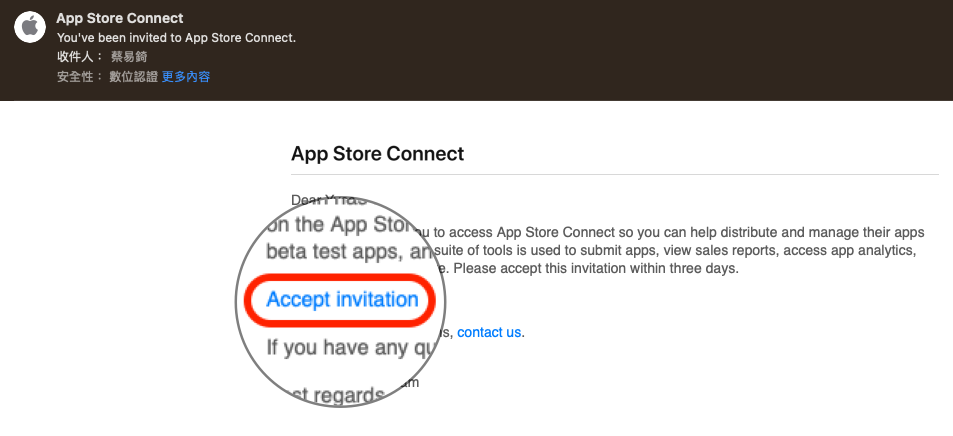
請確認信件並點擊接受,網頁將會引導您登入 AppleID,登入成功後即可關閉網頁。
Please check the mail and accept the invitation, it will lead you to login to your apple account. You can leave the page after login successfully.
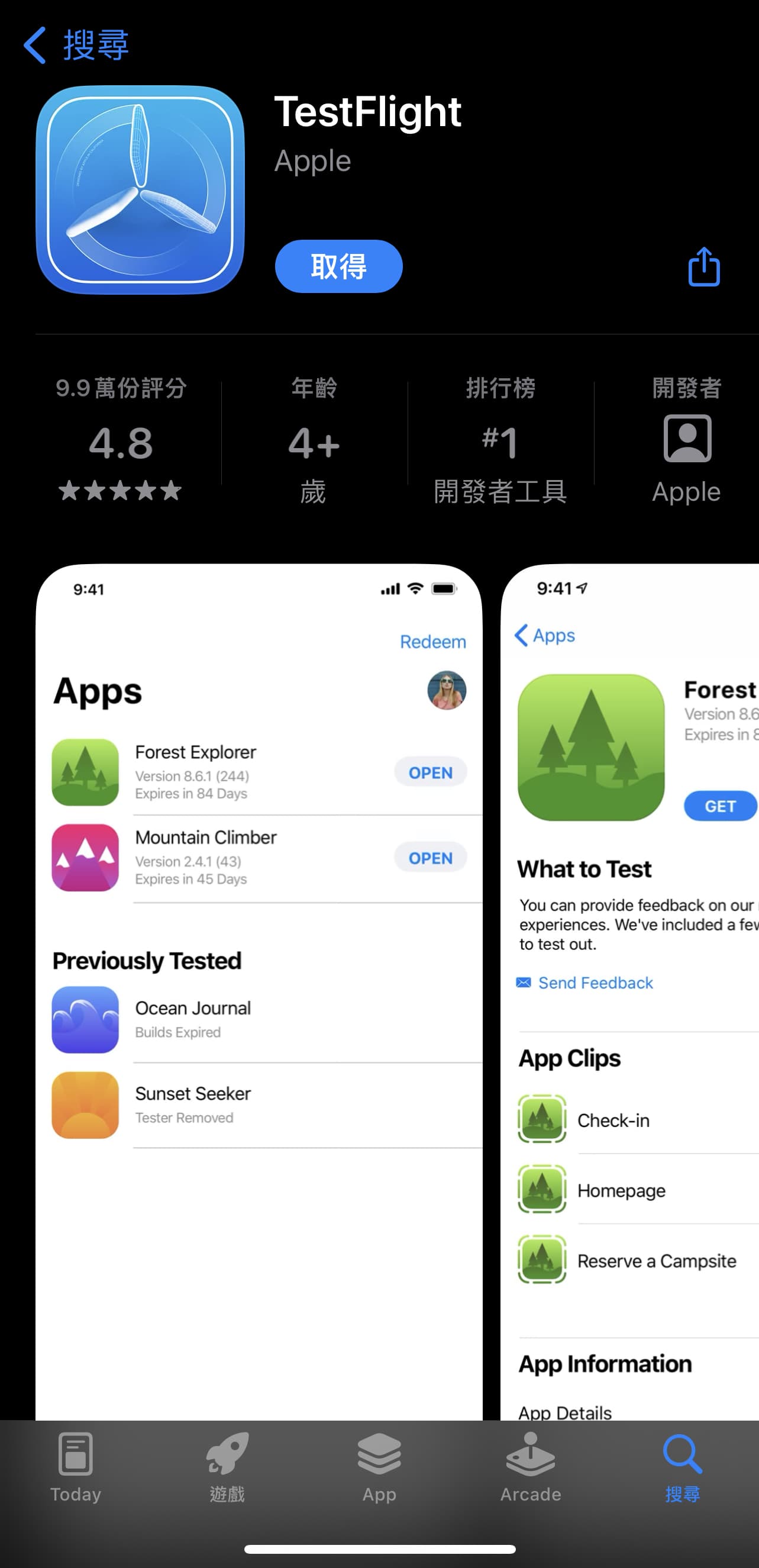
第三步:至 iPhone Apple Store 安裝 TestFlight
Step 3: Go to iPhone Apple Store to install TestFlight
第四步:以上步驟都完成後,請注意是否有收到來自 TestFlight 的測試邀請
Step 4: After you have completed all the steps above, please be aware whether you have received a test invitation from TestFlight
信件會在申請後24小時內寄發。
請確認信件並點擊信中View in TestFlight連結,該連結將引導您至 TestFlight 中按照步驟進行安裝,完成後即可開始測試。
The test invitation mail will be sent within 24 hours after the application.
Please check the mail and click the View in TestFlight link, it will lead you to TestFlight App and guide you to install the app you have applied. You can start testing app since the installation is complete.